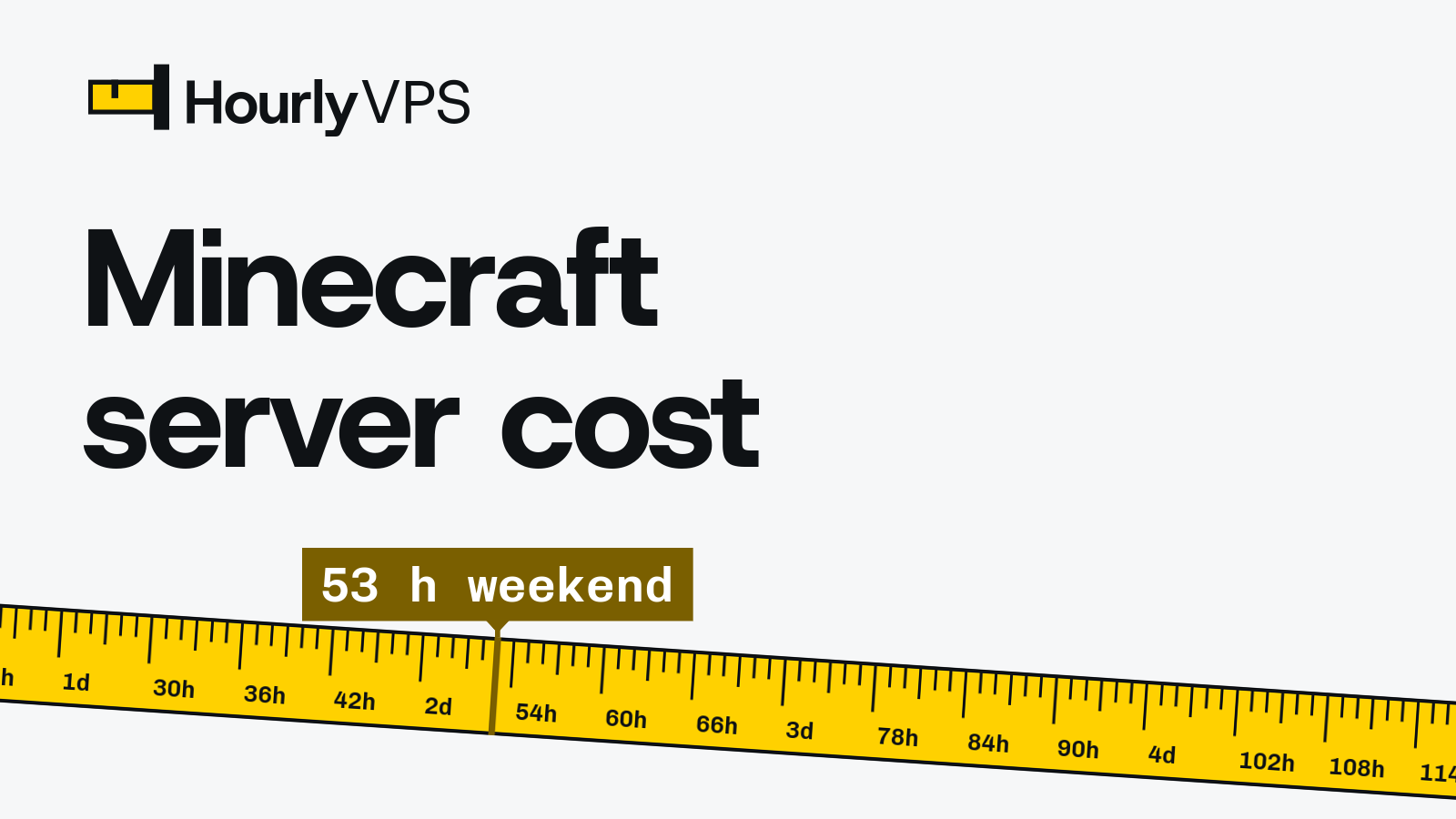
A Minecraft server costs nothing for the software, $3.99 to $7.99 a month on Mojang’s Realms, or only the hours the server exists when you rent a VPS by the hour. On a 4 GB HourlyVPS server, one weekend from Friday 18:00 to Sunday 23:00 (53 hours) costs $1.59, and the same server online 24/7 never costs more than $15.00 in a billing period, the plan’s monthly cap.
So how much does a Minecraft server cost for your group? It comes down to hours online, the number of players, and whether you want plugins or mods. Below: costs by group size, sourced RAM guidance, a copy-paste setup for Minecraft 26.3 on Java 25, and the backup routine that lets you delete the server on Sunday and restore the same world on Friday.
Key takeaways
- A Minecraft server’s cost depends mostly on hours online: Realms is a flat $3.99 to $7.99 a month (Mojang, October 2026), while an hourly-billed VPS costs only the hours the server exists, never more than the plan’s monthly price in a billing period.
- A Friday 18:00 to Sunday 23:00 weekend is 53 server-hours, and four weekends are about 212 hours, under a third of a 720-hour always-on month.
- Minecraft Java Edition 26.1 and newer, including the current 26.3, requires Java 25; Java 21 applies only to 1.20.5 through 1.21.11.
- The Minecraft Wiki puts RAM at 1–2 GB for up to 10 players on a new world, Paper recommends 6–10 GB, and the heap should sit 1–1.5 GB below the machine’s RAM.
- A stopped VPS is still billed, so a weekend server is stopped, backed up to your own computer and deleted on Sunday, then restored on a fresh server on Friday.
How much does a Minecraft server cost? Weekend vs 24/7
Your schedule and your group size set the bill. Friday 18:00 to Sunday 23:00 is 53 server-hours (6 + 24 + 23), and four such weekends are about 212 hours, under a third of a 720-hour month. The table prices both schedules against an always-on server, on the plan each group size needs (the sizing reasons are further down).
| Group and software | Plan | One weekend (53 h) | Every weekend for a month (about 212 h) | Always on (30 days) |
|---|---|---|---|---|
| 2–4 friends, vanilla | Quartz Q2 (1 vCPU, 2 GB) | $1.06 | $4.24 | $10.00 |
| 5–10 friends, vanilla or light Paper | Quartz Q4 (2 vCPU, 4 GB) | $1.59 | $6.36 | $15.00 |
| 10–20 players, Paper with plugins | Quartz Q8 (4 vCPU, 8 GB) | $2.65 | $10.60 | $25.00 |
| Modpack (Fabric or NeoForge) | Chrono C8 (2 dedicated vCPU, 8 GB) | $3.71 | $14.84 | $35.00 |
The weekend figures assume the server does not exist between weekends. A stopped server is still billed, because its vCPU, memory, disk and IP addresses stay reserved for you; only deleting the server stops billing. So on Sunday night you copy the world to your own computer and delete the server; on Friday you deploy a fresh one and restore the world (commands below).
How you pay: your account runs on prepaid credit, with a minimum top-up of $5, and each server you deploy is ordered with an initial credit, prepaid and used for that server’s hours (details in hourly VPS billing explained). Renting a daily VPS is the same hourly billing counted in days: a day is 24 billed hours, $0.72/day on Quartz Q4, so a weekend costs its 53 hours and nothing more. When a server’s balance falls to about 24 hours of usage, a top-up invoice is issued; pay it before game night, because a server whose balance reaches zero is suspended.
Timing tip: Billing is by the hour: every hour a server exists is charged at the plan’s hourly rate. The price tapes and cost tables on this site count every started hour as a full hour, so they show the most a duration can cost; the cost calculator charges a partial hour to the nearest cent, as the bill does. Deploy at 18:00 on Friday and delete before 23:00 on Sunday, and the weekend stays within 53 billed hours.
One plan from a single evening to a full month, with the monthly cap applied once it is reached:
| Duration | Hours on the meter | Cost $0.03 | Note |
|---|---|---|---|
| 4 hours | 4 | $0.12 | |
| 2 days 5 hours | 53 | $1.59 | |
| 7 days | 168 | $5.04 | |
| 30 days | 720 | $15.00 | Capped at the monthly price |
If your group plays most evenings, you can simply leave the server running: its hourly total climbs toward the monthly price and stops there, so Quartz Q4 never costs more than $15.00 in a billing period (one month from your order date). That makes an always-on world a monthly VPS with no contract and no plan to switch. Our hourly vs monthly VPS guide explains the cap and how hosts without one compare, and the VPS cost calculator prices any other schedule. For server prices at 20 other providers, see how much a VPS costs.
Realms, a free host, your own PC or a VPS: what each option costs
A VPS is one of five ways to host a world for friends, and each fits a different group:
| Option | What you pay | Players at once | Better fit when |
|---|---|---|---|
| Minecraft Realms (Java) | $7.99/month, flat | You + 10 | Zero admin for a vanilla Java world; online 24/7 with backups included. |
| Realms / Realms Plus (Bedrock) | $3.99 / $7.99 per month | You + 2 / you + 10 | Your group plays on consoles, phones or tablets. |
| Free host, such as Aternos | Nothing | Set by the host | Everyone plays at the same time; Aternos offers no 24/7 hosting and stops the server when the last player leaves. |
| Your own PC | Electricity, plus your time | Limited by your PC and upload speed | Short sessions on a PC that is on anyway, behind a router you can configure. |
| Managed game host | Monthly plans sized by RAM; prices vary by vendor | Depends on plan | A web panel with one-click modpacks and no Linux. |
| VPS billed by the hour | Only the hours the server exists, capped at the plan’s monthly price (table above) | Depends on RAM | Full control (Paper, plugins, mods, any version) and weekend-only schedules. |
What does it cost to run a Minecraft server at home?
Multiply the PC’s average power draw in kilowatts by the hours online and by your electricity price. The US average residential price was 18.31 cents per kWh in July 2026 (EIA Electric Power Monthly, Table 5.6.A). For a PC that averages 100 W (an example figure; a plug-in power meter gives you your own):
- One weekend, 53 hours: 0.1 kW × 53 h = 5.3 kWh, about $0.97.
- 24/7 for 30 days, 720 hours: 0.1 kW × 720 h = 72 kWh, about $13.18.
Home hosting also means forwarding port 25565 on your router and giving your friends your home IP address. The Minecraft Wiki’s server tutorial covers the router steps and the security trade-offs.
How much RAM does a Minecraft server need?
Mojang does not publish a RAM-per-player table for Java servers. Its server download page suggests starting the server with 4 GB of Java heap (java -Xmx4G -Xms4G -jar minecraft_server.26.3.jar nogui). The two most-cited references give this guidance:
- Minecraft Wiki, server requirements (new world, view distance of 10 or less): 1 GB for 1–4 players, 2 GB recommended for 5–10 players, 4 GB for more than 10. It adds that a big world with farms and redstone “can easily more than double the requirements”.
- Minecraft Wiki, server tutorial:
-Xmx2Gis “more than enough for a home server with 5 players on default simulation distance”, which is 5 × 21² = 2,205 chunks simulated. - Paper docs, Aikar’s flags: “at least 6-10GB, no matter how few players”, and set the heap 1,000–1,500 MB below the machine’s RAM so Java and the operating system have room.
The guidance disagrees because it answers different questions: the Wiki gives a working floor for a fresh world, while Paper describes where its garbage-collector tuning works well. The table turns both into a server size.
| Group and software | Guidance (source) | Java heap | VPS RAM | Plan that fits |
|---|---|---|---|---|
| 1–4 players, vanilla, new world | 1 GB (Wiki requirements) | -Xmx1G | 2 GB | Quartz Q2 (1 vCPU, 2 GB): the floor |
| Up to about 10 players, vanilla or light Paper | 2 GB; “more than enough” for 5 (Wiki) | -Xmx2560M | 4 GB | Quartz Q4 (2 vCPU, 4 GB) |
| 10–20 players, Paper with plugins, view distance above 10 | 4 GB for 10+ (Wiki); 6–10 GB (Paper) | -Xmx6500M | 8 GB | Quartz Q8 (4 vCPU, 8 GB) |
| Modpacks, big farms and redstone | The modpack’s own stated requirement; 6–10 GB (Paper) | -Xmx6500M or more | 8–16 GB | Chrono C8 (2 dedicated vCPU, 8 GB) or Chrono C16 (4 dedicated vCPU, 16 GB) |
Do not copy Mojang’s -Xmx4G onto a 4 GB server. Java needs memory beyond the heap, so a 4 GB heap on a 4 GB machine can run out of memory and get the server killed. On a 4 GB plan use -Xms2560M -Xmx2560M.
CPU matters as much as RAM. The Minecraft Wiki asks for a CPU with good single-core performance: the server uses extra cores for some work, typically three at most, while core world ticking stays largely on one thread. That is why the table moves modpacks to Chrono plans, whose vCPUs are dedicated and CPU-pinned rather than shared.
Disk is rarely the limit: the Wiki lists 150–200 MB for a new world, and the 80 GB disk on Quartz Q4 leaves room for a grown world plus backups.
Two settings that lower RAM and CPU use
In server.properties, view-distance (chunks sent to players) and simulation-distance (chunks where mobs and farms tick) both default to 10. Simulation distance 10 means a 21 × 21 area of 441 chunks per player; at 8 it is 17 × 17 = 289 chunks, about a third less work. Vanilla servers also pause 60 seconds after the last player leaves (pause-when-empty-seconds=60). That saves CPU, not money: the VPS is billed for as long as it exists.
Vanilla or Paper: which server software should you run?
| Vanilla (Mojang) | Paper | |
|---|---|---|
| What it is | Mojang’s official server. | A Java Edition server “designed to greatly improve performance and offer more advanced features and API” (Paper docs) |
| Plugins | No; datapacks only | Yes: Paper and Bukkit plugins, for example from Paper’s Hangar repository |
| Gameplay | Exactly as Mojang ships it | Close to vanilla; Paper says a 100% vanilla experience “currently is not possible”, which matters for technical farms |
| Latest build, October 3, 2026 | 26.3, released September 15, 2026 | 26.3 builds marked beta; 26.2 builds marked stable |
| Java | Java 25 | Java 25 |
| RAM guidance | Wiki table above | 6–10 GB recommended |
Choose vanilla for a survival world that behaves exactly like single-player and updates on release day. Choose Paper for plugins (land claims, web maps, scheduled backups) or more players per GB. Players normally need the same game version as the server, so check Paper’s build channel before your friends’ launchers update. Fabric or NeoForge modpacks are a third route, sized by the pack’s own requirement.
Which Java version does a Minecraft server need in 2026?
Minecraft Java Edition 26.1 and newer requires Java 25. Mojang’s 26.1 release notes say “The game now requires Java 25”, and Mojang’s version data for 26.3, the current release, lists Java 25 too. Java 21 is the right answer only for 1.20.5 to 1.21.11.
| Minecraft Java Edition version | Java the vanilla server needs |
|---|---|
| 26.1 and newer (current: 26.3) | Java 25 |
| 1.20.5 to 1.21.11 | Java 21 |
| 1.18 to 1.20.4 | Java 17 |
| 1.17 to 1.17.1 | Java 16 |
| 1.12 to 1.16.5 | Java 8 |
On Ubuntu 24.04 LTS, Java 25 comes from the regular Ubuntu archive: the openjdk-25-jre package is at version 25.0.4.1 for noble as of October 2026. Debian 13 ships openjdk-25-jre as well; Debian 12 does not, so on Debian 12 add the Amazon Corretto repository as shown in the Paper Java install guide. Paper asks you not to use -headless Java packages, so the steps below install the full JRE, which runs vanilla and Paper alike.
How to set up a Minecraft server on Ubuntu 24.04
These steps deploy vanilla Minecraft 26.3 on a fresh Ubuntu 24.04 LTS VPS. Run them over SSH as a non-root sudo user with key login; if that is not set up yet, start with how to connect to a VPS with SSH and our checklist for securing a new Linux VPS. Replace 203.0.113.10 with your server’s IP address and deploy with your username.
Step 1: Update Ubuntu and install Java 25
sudo apt update
sudo apt -y upgrade
sudo apt -y install openjdk-25-jre curl
java -versionThe last command should print a version that starts with 25.
Step 2: Open the firewall for SSH and Minecraft only
Java Edition players connect over TCP port 25565, the server-port default. Allow SSH first so you cannot lock yourself out, then the game port, then switch the firewall on and answer y at its prompt (Ubuntu ufw docs):
sudo ufw allow 22/tcp
sudo ufw allow 25565/tcp
sudo ufw enable
Leave RCON (TCP 25575) and query (UDP 25565) closed. Both are off by default in server.properties, and a friends server needs neither.
Step 3: Create a service user and download the server
sudo useradd --system --user-group --home-dir /opt/minecraft --shell /usr/sbin/nologin minecraft
sudo install -d -o minecraft -g minecraft -m 755 /opt/minecraft
cd /opt/minecraft
sudo -u minecraft curl -fLo server.jar https://piston-data.mojang.com/v1/objects/33680f5f2ac32864d6d7cf5e56a705fdb3e05f4c/server.jar
sha1sum server.jarThat URL is Mojang’s official 26.3 server.jar, as listed in Mojang’s version data. The long hex string in it is the file’s SHA-1 checksum, so sha1sum should print 33680f5f2ac32864d6d7cf5e56a705fdb3e05f4c. For a later release, copy the link from the official download page. For Paper, save a build from papermc.io as server.jar instead; the later steps stay the same.
Step 4: Accept the Minecraft EULA
The first start creates eula.txt and server.properties, then stops. Still in /opt/minecraft, run:
sudo -u minecraft java -Xms2560M -Xmx2560M -jar server.jar --noguiSetting eula=true means you accept the Minecraft End User License Agreement; the server will not start without it:
sudo -u minecraft sed -i 's/^eula=false/eula=true/' eula.txtThe heap values fit a 4 GB server. On Quartz Q2 use -Xms1G -Xmx1G, and on 8 GB plans -Xms6500M -Xmx6500M, as in the sizing table.
Step 5: Whitelist your friends and make yourself operator
Since Minecraft 26.3, a new server starts with white-list=true, so only listed players can join (Mojang 26.3 release notes). Start the server once in the foreground; the first start also generates the world:
sudo -u minecraft java -Xms2560M -Xmx2560M -jar server.jar --noguiWhen the console prints the line with “Done” and “For help, type “help””, type these commands into the server console (not the shell), using real Java Edition usernames:
whitelist add YourName
whitelist add FriendName
op YourName
stop
From now on you can add players in game with /whitelist add. The Minecraft Wiki recommends keeping the whitelist and online mode switched on for private servers.
Step 6: Run Minecraft as a systemd service
A systemd service starts the server at boot, restarts it after a crash and stops it cleanly. Create the unit file:
sudo nano /etc/systemd/system/minecraft.service[Unit]
Description=Minecraft Java server
Wants=network-online.target
After=network-online.target
[Service]
User=minecraft
Group=minecraft
WorkingDirectory=/opt/minecraft
ExecStart=/usr/bin/java -Xms2560M -Xmx2560M -jar server.jar --nogui
SuccessExitStatus=143
TimeoutStopSec=120
Restart=on-failure
RestartSec=10
NoNewPrivileges=true
PrivateTmp=true
ProtectSystem=full
ProtectHome=true
[Install]
WantedBy=multi-user.targetsystemctl stop sends SIGTERM; the server’s Java shutdown hook then saves the world and stops, as the stop command would. Java exits with status 143 (128 plus 15, the SIGTERM signal number), and SuccessExitStatus=143 tells systemd to record that as a clean stop (systemd.service docs). TimeoutStopSec=120 gives a large world two minutes to save before systemd forces the stop.
sudo systemctl daemon-reload
sudo systemctl enable --now minecraft
sudo journalctl -u minecraft -fWait for the line with “Done” and “For help, type “help””, then press Ctrl+C to leave the log. The server keeps running.
Step 7: Connect from Minecraft
In Minecraft Java Edition, open Multiplayer, choose Add Server and enter 203.0.113.10. Port 25565 is the default, so you do not have to type it. To give friends an address that survives redeploys, point a domain’s A record at the server and update it whenever the IP address changes.
Save the world before you delete the server
Deleting a VPS deletes its disk, and your world with it. Stop the server so every chunk is written, pack the folder and copy it to a machine you control. The full checklist is in our guide on what to check before you delete a VPS.
Sunday night: back up, then delete
On the VPS:
sudo systemctl stop minecraft
sudo tar -czf ~/minecraft-backup.tar.gz -C /opt minecraft
sudo chown deploy:deploy ~/minecraft-backup.tar.gz
On your own computer, pull the archive down with a dated name. scp works from Linux, macOS, and Windows 10/11 with the OpenSSH Client feature:
scp [email protected]:minecraft-backup.tar.gz ./minecraft-backup-2026-10-04.tar.gzIf rsync is installed on both machines, rsync -avP with the same two paths does the job too and can pick up an interrupted copy. Before you delete anything, confirm the world is inside the archive; tar prints the file name, or an error if it is missing:
tar -tzf minecraft-backup-2026-10-04.tar.gz minecraft/world/level.datIf it prints minecraft/world/level.dat, delete the server in the panel; billing ends at deletion, not at shutdown.
Snapshots are not a weekend backup on their own. A panel snapshot is a quick rollback point before an update or a new plugin. For the gap between weekends, keep the copy on your own disk too: it is the one that does not depend on the server still existing.
Friday: restore on a fresh server
Deploy a new Ubuntu 24.04 server and repeat steps 1 to 3; you can skip the download, because the archive already contains server.jar. If the new server got last weekend’s IP address, SSH warns that the host key changed, because a fresh server has new keys; clear the old entry on your computer with ssh-keygen -R 203.0.113.10. Then upload the archive from your computer:
scp ./minecraft-backup-2026-10-04.tar.gz [email protected]:minecraft-backup.tar.gzUnpack it on the VPS and give the files back to the service user:
sudo tar -xzf ~/minecraft-backup.tar.gz -C /opt
sudo chown -R minecraft:minecraft /opt/minecraft
Recreate the unit file from step 6, then load and start it:
sudo systemctl daemon-reload
sudo systemctl enable --now minecraft
The archive holds the world, eula.txt, the whitelist, the operators and your settings, so the server comes back as you left it. Run the same server version or a newer one, never an older one. If the IP address changed, update your domain’s A record or send friends the new address.
Running Bedrock Edition instead
Bedrock players (consoles, phones, tablets and the Bedrock PC version) cannot join a Java server without a third-party bridge such as Geyser. A Bedrock group needs Realms or Mojang’s separate Bedrock Dedicated Server (BDS), which differs in four ways:
- The Linux build requires Ubuntu 22.04 LTS or later. Mojang’s system requirements list 4 GB of RAM, and its FAQ says at least 1 GB for small servers.
- It runs as its own executable, so no Java is needed.
- It listens on UDP, not TCP: port 19132 for IPv4 and 19133 for IPv6, so the firewall rule is
sudo ufw allow 19132/udp(plus19133/udpfor IPv6 players). - Console access is the open question. Mojang’s BDS page says players on Xbox, PlayStation and Switch can join with the server’s address and port; the Minecraft Wiki says console players can only connect through a custom DNS or a LAN connection. Test with one console player before you commit.
For a small all-console group, Realms ($3.99 a month for you plus 2 players) avoids that question. A Bedrock group on PCs and phones can run BDS on a 4 GB VPS, Mojang’s listed requirement, with the same weekend routine.
Which plan and schedule fit your group?
A quick decision checklist, based on the cost and sizing tables above:
- Weekends only: the plan from the cost table, billed by the hour; back up and delete on Sunday, restore on a fresh server on Friday.
- One evening or a one-off event: deploy, play, back up and delete the same night.
- Online most days, or friends in different time zones: leave the server running; the monthly cap keeps each billing period at or below the plan’s monthly price (see all plans and prices).
- Vanilla Java with up to 10 friends and no one who wants to run Linux, or a console-only group: Realms is the simpler buy.
- Modpacks or heavy farms: Chrono C8 or C16 for dedicated vCPUs, sized by the modpack’s stated requirement.
Deploy close to most of your players: HourlyVPS deploys in Istanbul today, with New York coming soon; our guide to choosing a VPS location by latency shows how to check. Istanbul plans include the monthly traffic allowance listed for each plan, prorated for a server that exists for part of a billing period. Every server also sits behind always-on DDoS mitigation with 1.2 Tbps of capacity (network details), which matters for game servers whose address gets passed around.
Running more than one game? The same deploy, back up and delete pattern works for a Palworld dedicated server on a VPS and a Valheim dedicated server on a VPS. Comparing hosts? Our Hourly VPS Fine-Print Index found that 12 of 20 providers bill a stopped server in full (checked October 2, 2026; details in which VPS providers bill stopped servers), which is why the routine above deletes instead of stopping.
Deploy this setup
Host a weekend Minecraft server for friends
Quartz Q4 · 2 shared vCPU · 4 GB RAM · 80 GB NVMe · Istanbul
- Per hour$0.03/hourFor this job
- Per day (24 h)$0.72/day
- Monthly cap$15.00/month
Starts with a $5 initial credit, which goes into the server’s balance and pays for its hours.
Billed by the hour, never more than $15.00 per billing period. Delete the server and billing stops.